Enforce Druid Portal Access via IP Whitelisting
To enhance platform security, Druid Portal administrators can restrict access to the Druid Portal to specific IP addresses or network ranges (e.g., company headquarters or VPN gateways). This restriction applies to both standard user credential login and Single Sign-On (SSO). When enforcing Druid Portal via IP whitelisting access, any login attempt from an unauthorized IP address will result in an "Access Denied" error.
IMPORTANT! For Druid Connector Host hybrid deployments, you must whitelist the IP address of the host machine to ensure uninterrupted service.
Security Best Practice
For maximum security, route all employee traffic through a Corporate Proxy or VPN with a static IP and whitelist only that specific address (e.g., 192.0.2.1) rather than IP ranges.
Configure IP Whitelisting
NOTE: This feature is available starting with Druid 9.19.
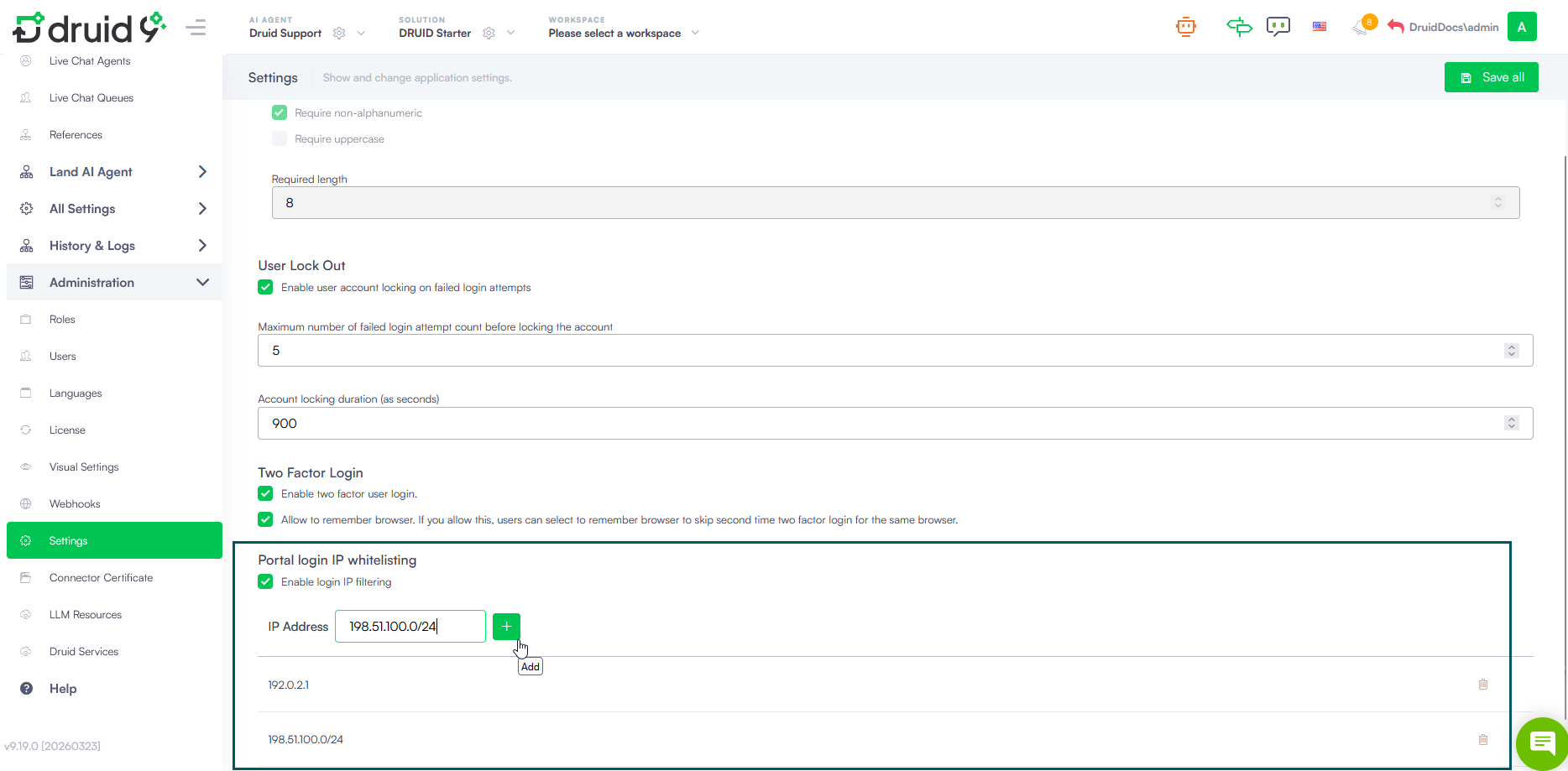
To configure the allowed IP addresses for your tenant:
- Navigate to Administration > Settings.
- Locate the 'Portal login IP whitelisting' section.
- Select Enable login IP filtering.
- In the IP Address field, enter an individual IP address or a CIDR block if you want to whitelist entire IP ranges. Refer to the table below for common input format examples:
- Click the plus (+) icon to add the entry to the list.
- Click Save all at the top right of the screen to apply the changes.
| Input format | Category | Number of IPs | Use Case |
|---|---|---|---|
| 192.0.2.1 | Static IP | 1 | Whitelists a single Static Proxy or VPN Gateway. |
| 198.51.100.0/24 | CIDR Block | 256 | Whitelists an entire office subnet (.0 to .255). |
| 203.0.113.0/16 | CIDR Block | 65,536 | Whitelists a large-scale corporate network. |